

No notifications

Archived
9 months ago

💌 Your February content is ready. Fresh ideas inside!

10 months ago

Happy New Year — Your January content is here! 🎉

1 year ago

Fresh, hot content for November is here. Check it out! 🔊

1 year ago

COMING IN HOT: Your November content calendar is here! 🔥

1 year ago

JUST IN 👉 Your October content is here! New Reels, feed posts, newsletters, email templates, and so much more!

1 year ago

COMING IN HOT: Your August content is here! Check them out now. 🔥

1 year ago

???? New Carousel templates for July are out now! Check them here.

1 year ago

???? JUST DROPPED: Check out the new Reels and Reels Report for July!

1 year ago

Plan ahead for July! Your latest social media content calendar is here. ✨

1 year ago

Your June content just dropped—content calendar, Reels, newsletter, and much more. Dive in!

2 years ago

Your May playbook is here—packed with fresh content. Take a look!

2 years ago

Good news! Your quarterly lead campaign is here. ????

2 years ago

New Carousel templates for April are out now!  ????  Check them here.

2 years ago

 ???? JUST DROPPED: Check out the new Reels and Reels Report for April! 
 

2 years ago

March playbook just dropped. Check it out now. ????

2 years ago

Start the year right! The January playbook is officially here. ????

2 years ago

New Carousel templates for November are out now!  ????  Check them here.

2 years ago

???? JUST DROPPED: Check out the new Reels and Reels Report for November! 

2 years ago

JUST DROPPED: Check out the new Reels and Reels Report for October!

2 years ago

New Instagram Story templates for October are out now! ????  Check them here.
 

2 years ago

Blog post and video script for October JUST DROPPED ????

2 years ago

 ????JUST DROPPED: Check out the new Reels and Reels Report for September! 

2 years ago

New Instagram Story templates for September are out now! ???? Check them here.

2 years ago

Mark your calendars for Office Hours this coming Sept 4th, 10 am PT. Save this Zoom for instant access! 

2 years ago

The blog post and video script for September are here. Check them out today! ????

2 years ago

Your September Playbook is here! Explore 31 days' worth of engaging social media content. ????

2 years ago

???? JUST DROPPED: Check out the new Reels and Reels Report for July! 

2 years ago

New Instagram Story templates for August are out now!  ???? Check them here.

2 years ago

The blog post and video script for August are here. Check them out now! ✨

2 years ago

Your August Playbook is here! Take your online presence one step further with 31 days of engaging social media templates. ????

2 years ago

Don't miss this month's coaching call! Office Hours is on August 7th, 10 PT via Zoom.

2 years ago

Mark your calendars for Office Hours this coming July 3rd, 10 am PT through this Zoom link! ????

2 years ago

 ????JUST DROPPED: Check out the new Reels and Reels Report for July! 

2 years ago

New Instagram Story templates for July are out now! ???? Check them here.

2 years ago

Your July Playbook is here! Explore 31 days' worth of engaging social media content. ????

2 years ago

OUT NOW: Check out the latest blog post and video script and get those leads! ✍️

2 years ago

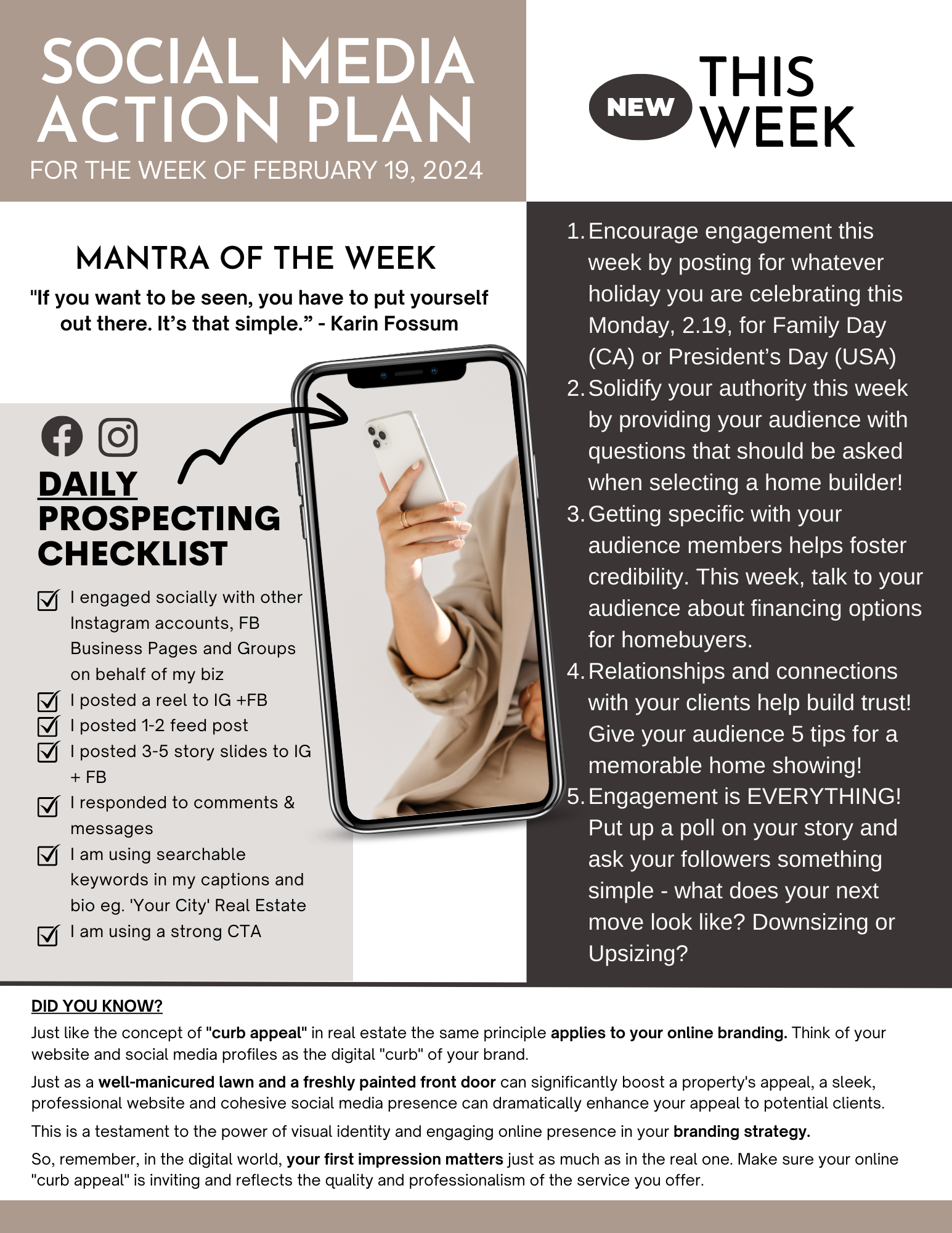
Your Weekly Action Plan is ready for you!

2 years ago

Your Weekly Action Plan is ready for you!
 

2 years ago

???? JUST DROPPED: Check out the new Reels and Reels Report for June! 

2 years ago

New Instagram Story templates for June are out now!   Check them here.

2 years ago

Your Weekly Action Plan is ready for you!

2 years ago

June Monthly Playbook just dropped! Make it a productive month with 30 days of done-for-you social media posts ????

2 years ago

Your Weekly Action Plan is ready for you!

2 years ago

Save the date for Office Hours this coming June 5th, 10 am PT via Zoom! ⏰

2 years ago

The blog post and video script for May are here. Check them out today! ????

3 years ago

Your Weekly Action Plan is ready for you!

3 years ago

New Instagram Story templates for May are out now! ???????? Check them here.

3 years ago

JUST DROPPED: Check out the new Reels and Reels Report for May! ????

3 years ago

JUST DROPPED: The May Monthly Playbook is ready! 31 Days of ready to go social media posts for your Real Estate Business. ????

3 years ago

Your Weekly Action Plan is ready for you! Make it a great week ????

3 years ago

Your Weekly Action Plan is ready for you! Make it a great week ????

3 years ago

JUST DROPPED: Check out the new blog post and video script for April ????

3 years ago

The Quarterly Marketing Campaign is LIVE and ready for you to start COLLECTING LEADS TODAY! ???? 

3 years ago

April\'s Reel Estate Reels Report is ready for you now click here to access it!

How To Prepare Your Home For Retirement

SHARE

Apart from all the traveling, new hobbies, and countless adventures you’ll enjoy, retirement is also a time to rethink your current living space. It’s a fact of life that as we age, our body also loses its strength and endurance. Staircases will be like mountains, and slippery flooring will be more dangerous than ever.

Since you will have more time & money to invest in your “forever home” by then, you’ll be able to accommodate renovations and other home improvement projects for your golden years. In preparing your home for retirement, the goal is to transform your place into one that will provide you comfort, ease of access, and security for the rest of your life.

So go and look around your home, jot down enhancements you’d like to get done, and talk to your family for assistance. To guide you in this undertaking, here are our top home improvement tips that’ll help you age in place:

1. Build your life around the first floor

If you live in a multi-story home, it’s time to quit the stairs and settle living on the first floor alone. This means relocating all amenities on one level, including the master bedroom, bathroom, and laundry area. Depending on the space, you can either build these rooms from scratch or go the more cost-effective route of converting existing rooms on the first floor. Not only will your knees thank you for this, but limiting traffic on just one level will make your home easier to maintain and clean up.

Pro-tip: When relocating your bedroom, choose the quietest area away from traffic noise. This is because as you enter your senior years, it’ll be much harder to sleep deeply. Catch those zzz’s by doing this!

2.Set up a fitness spot

Don’t have a personal gym yet? Now’s the time to dedicate an area for fitness equipment such as a treadmill, yoga mat, and senior-friendly dumbbells. You can do this within the first floor or set it up outdoors to catch some sun while working out.

3. Choose a slip-resistant flooring

Switching from slippery flooring to slip-resistant is your first step to catching yourself from falling over or tripping in the future. Some options include vinyl, linoleum, cork, and carpet. These are also resilient floors, meaning they were engineered for comfort, giving your legs a break from all the other rigid floor choices.

4. Create an accessible entry point

As you age, little things– like climbing two or three steps leading to your front door – suddenly become a daunting task. To ensure that you can step in and out of your house without hassle, you can install a ramp or a gradually-inclined walkway with a handrail. Through this, you will still be able to access your home should you need the help of a wheelchair or walker one day.

While you’re at it, you can widen interior doorways by adding in a few extra inches. To fit a wheelchair, set your target doorway width at 32 inches or higher.

5. Make your bathroom senior-friendly

A couple of upgrades will help you avoid fall-related incidents in the bath. A common tip would be installing grab bars in the shower, toilet area, sink, or other areas where you’d lean on. Plus, you may want to replace a bathtub with a walk-in shower unit with a handheld shower head. This type of shower head gives you more flexibility while you bathe.

6. Invest in tech & security solutions

Does tech freak you out? We sure hope not ‘cause smart home devices would make for valuable upgrades when you retire. If you haven’t heard of the concept, your home becomes a ‘smart home’ when you furnish it with electronic gadgets designed to perform automated tasks when you command it. Lights, heating, door locks, and appliances can be voice-activated. Futuristic, isn’t it?

If you don’t have one yet, you may want to consider setting up a CCTV and an alarm system for you and your property’s protection. Also, don’t be shy in plastering signs that say your home is under constant surveillance. This measure shoos away potential criminals who might take advantage of your vulnerability as an elder.

7. Repaint and redecorate to match your style

Have you always wanted to paint your house a certain color but never did? Don’t let this turn into another ‘what if’ and do it! While it is recommended to choose a calming palette, the color of your forever home will be solely up to you. You can also perform other mini aesthetic projects such as redecorating the living room with plants, spicing up a bland wall with photo frames, and placing fresh flowers in the kitchen.

As your retirement draws near, may your home become a sanctuary to you in your golden years. Happy planning!
SHARE

Facebook
Twitter
LinkedIn

Leave a Reply

Questions

Can’t find the answer you need? Send us a message at support@porchlyte.com and we’ll help you figure it out.

Getting started

Where do I actually start?

Start by building your profile. It takes about fifteen minutes and it’s the only setup you need to do.

Every tool uses the information in your profile, so completing it first will make everything you create feel more personal and useful.

Once that’s done, choose something you’re already working on this week. It could be a new listing, an upcoming appointment or a client you’ve been meaning to follow up with. Pick the department that handles it and let your AI team help you get it done.

Do I really have to build the profile?

Yes, and those fifteen minutes are worth it.

Your profile tells the tools about your business, your market, your clients and the way you communicate. The more they know about you, the better your results will be.

If something comes back sounding generic, your profile is usually the first place to check.

Can I change my profile later?

Absolutely. You can update it anytime.

If you change brokerages, start working in a new area or decide to focus on a different type of client, add that information to your profile. Your tools will use the updated details right away.

Using the tools

My output sounds generic. What am I doing wrong?

You probably haven’t done anything wrong. The tool may simply need more information about you.

Take another look at your profile and make sure the answers are detailed enough. Specific information about your neighbourhoods, ideal clients and communication style can make a big difference.

That’s how you go from ‘a lovely home in your area’ to something that sounds local, personal and much more like you.

Do I need to check what it gives me before I use it?

Yes. Always give it a quick read before publishing or sending anything, especially when the content includes numbers, property details or Fair Housing considerations.

Think of the tools as your first-draft team. They help you get the work started, then you give it the final approval.

Can I edit what comes back?

Of course. You can change any part of it.

Most people adjust a sentence or add a small personal detail before using it. That final touch is what makes the content feel completely natural to you.

What if it gets something wrong?

Correct it and please let us know.

Send the example to support@porchlyte.com and tell us what happened. Seeing the exact output helps us improve the tool and make it work better for everyone.

Can I use these on a co-listed property or one of my brokerage’s listings?

Yes. Just check your brokerage’s marketing rules and make sure you have permission before anything is made public, as you would with any other marketing you create.

Content and templates

Will my content look like every other member’s?

It’s very unlikely. Most of your followers aren’t also following other PorchLyte members, and members are spread across different markets. Everyone also uses the calendar differently. Someone may post an idea today, while another member saves it for next week or skips it altogether.

The monthly calendar gives you a helpful starting point. Add your local details, your opinion, a personal story or one of your own photos and it quickly becomes yours.

The AI tools are even more personalized. They begin with your profile, listing, photos and market, so the content is created specifically for your business.

How much do I need to post?

Probably less than you think.

A manageable schedule you can maintain will serve you better than trying to post every day. PorchLyte helps you keep showing up without spending your whole week creating content.

Can I put my own branding on the templates?

Yes. Add your colours, logo, fonts and photos.

The templates give you a polished starting point while leaving plenty of room to make them fit your brand.

Where do past months live?

You’ll always have access to a full year of content calendars.

It gives you plenty of ideas to revisit when you need something useful to post and don’t feel like starting from a blank page.

How do I schedule posts?

You’ll find a short scheduling walkthrough under Training, along with the rest of the how-to videos.

Training

When are the live trainings?

Upcoming dates are posted on the calendar and your dashboard. We’ll also send you an email before each training so you know what’s coming up.

Do I have to attend live?

No. Every session is recorded and the replays stay inside your account.

If you can join us live, you’ll have time to work on your own business during the session and ask questions as they come up.

I joined partway through. Am I behind?

Not at all. Each session is designed to stand on its own.

Start with the training that matches what you need right now, then explore the others whenever you’re ready.

What’s the Success Path?

The Success Path is a short, step-by-step collection of trainings for anyone who would like a little direction on what to do first.

It’s completely optional, but it’s a great place to begin if you want us to guide you through PorchLyte.

Your account

How do I cancel?

You can cancel directly inside your account in just a couple of clicks.

Your access will continue until the end of the period you’ve already paid for, and anything you downloaded is yours to keep.

Can I pause instead?

Yes. Email support@porchlyte.com and we’ll help you with that.

A pause can be a good option when life or business gets especially busy and you need a little breathing room.

Do new tools cost extra?

No. New tools added while you’re a member are included with your membership.

There are no additional tiers or upgrades required.

Can I share my login?

Each membership includes one login and one business profile.

If an assistant works inside your business, they can use the account to help you. A second agent will need their own membership because each account is personalized using one agent’s profile.

How do I update my card?

You can update your payment information under Billing in your account settings.

The ones nobody asks out loud

You’re probably not the only person wondering about these, so let’s talk about them.

I haven’t logged in for weeks. Where do I start?

You’re okay. There’s no course to catch up on and nothing has expired.

Open your dashboard and think about what’s happening in your business this week. If you have a listing coming up, start there. If business is quiet, open Stay Remembered and send an email to someone you helped a few years ago.

One useful action is enough to get you moving again.

I’m paying for this and not using it.

Let’s figure out what’s getting in the way.

Your profile may need more information, or you may need help finding the tool that fits what’s happening in your business right now.

Email support@porchlyte.com and tell us exactly that. A quick conversation can help you find the simplest place to start.

I’m not consistent. Is this going to work for me?

Yes. You don’t need to become someone who posts every day or follows a complicated marketing schedule.

The work inside PorchLyte is designed to fit into a real week, including the weeks when appointments change, deals get complicated and your plans go sideways.

You can step away when you need to and pick things back up when you’re ready.

I don’t really understand AI. Am I going to be lost?

You don’t need to understand how AI works behind the scenes.

The tools will ask you questions, you’ll add your information and they’ll guide you through the rest. There’s also a short walkthrough to help you complete your profile and get comfortable using everything.

I’m embarrassed by how little I’ve posted.

Give yourself a fresh start.

Most people aren’t scrolling back through your entire account. They’re paying attention to what you’re sharing now and whether it helps them get to know you.

Your next few weeks of content can begin whenever you’re ready.

What changed

Did my price change?

If you were already a member, your price has stayed the same. You’ll continue paying the rate you joined at.

I can’t find something that used to be in the menu.

It’s still here, but it may have moved.

Use the search bar at the top of any page. If you still can’t find what you need, email support@porchlyte.com and we’ll send you the direct link.

Let’s get you back on track

Whatever you need help with, we’d much rather hear from you than have you sitting there feeling stuck. Send us a message and we’ll help you find your next step.

Already picked. Just make it yours.