
No notifications

Archived
9 months ago

💌 Your February content is ready. Fresh ideas inside!

10 months ago

Happy New Year — Your January content is here! 🎉

1 year ago

Fresh, hot content for November is here. Check it out! 🔊

1 year ago

COMING IN HOT: Your November content calendar is here! 🔥

1 year ago

JUST IN 👉 Your October content is here! New Reels, feed posts, newsletters, email templates, and so much more!

1 year ago

COMING IN HOT: Your August content is here! Check them out now. 🔥

1 year ago

???? New Carousel templates for July are out now! Check them here.

1 year ago

???? JUST DROPPED: Check out the new Reels and Reels Report for July!

1 year ago

Plan ahead for July! Your latest social media content calendar is here. ✨

1 year ago

Your June content just dropped—content calendar, Reels, newsletter, and much more. Dive in!

2 years ago

Your May playbook is here—packed with fresh content. Take a look!

2 years ago

Good news! Your quarterly lead campaign is here. ????

2 years ago

New Carousel templates for April are out now!  ????  Check them here.

2 years ago

 ???? JUST DROPPED: Check out the new Reels and Reels Report for April! 
 

2 years ago

March playbook just dropped. Check it out now. ????

2 years ago

Start the year right! The January playbook is officially here. ????

2 years ago

New Carousel templates for November are out now!  ????  Check them here.

2 years ago

???? JUST DROPPED: Check out the new Reels and Reels Report for November! 

2 years ago

JUST DROPPED: Check out the new Reels and Reels Report for October!

2 years ago

New Instagram Story templates for October are out now! ????  Check them here.
 

2 years ago

Blog post and video script for October JUST DROPPED ????

2 years ago

 ????JUST DROPPED: Check out the new Reels and Reels Report for September! 

2 years ago

New Instagram Story templates for September are out now! ???? Check them here.

2 years ago

Mark your calendars for Office Hours this coming Sept 4th, 10 am PT. Save this Zoom for instant access! 

2 years ago

The blog post and video script for September are here. Check them out today! ????

2 years ago

Your September Playbook is here! Explore 31 days' worth of engaging social media content. ????

2 years ago

???? JUST DROPPED: Check out the new Reels and Reels Report for July! 

2 years ago

New Instagram Story templates for August are out now!  ???? Check them here.

2 years ago

The blog post and video script for August are here. Check them out now! ✨

2 years ago

Your August Playbook is here! Take your online presence one step further with 31 days of engaging social media templates. ????

2 years ago

Don't miss this month's coaching call! Office Hours is on August 7th, 10 PT via Zoom.

2 years ago

Mark your calendars for Office Hours this coming July 3rd, 10 am PT through this Zoom link! ????

2 years ago

 ????JUST DROPPED: Check out the new Reels and Reels Report for July! 

2 years ago

New Instagram Story templates for July are out now! ???? Check them here.

2 years ago

Your July Playbook is here! Explore 31 days' worth of engaging social media content. ????

2 years ago

OUT NOW: Check out the latest blog post and video script and get those leads! ✍️

2 years ago

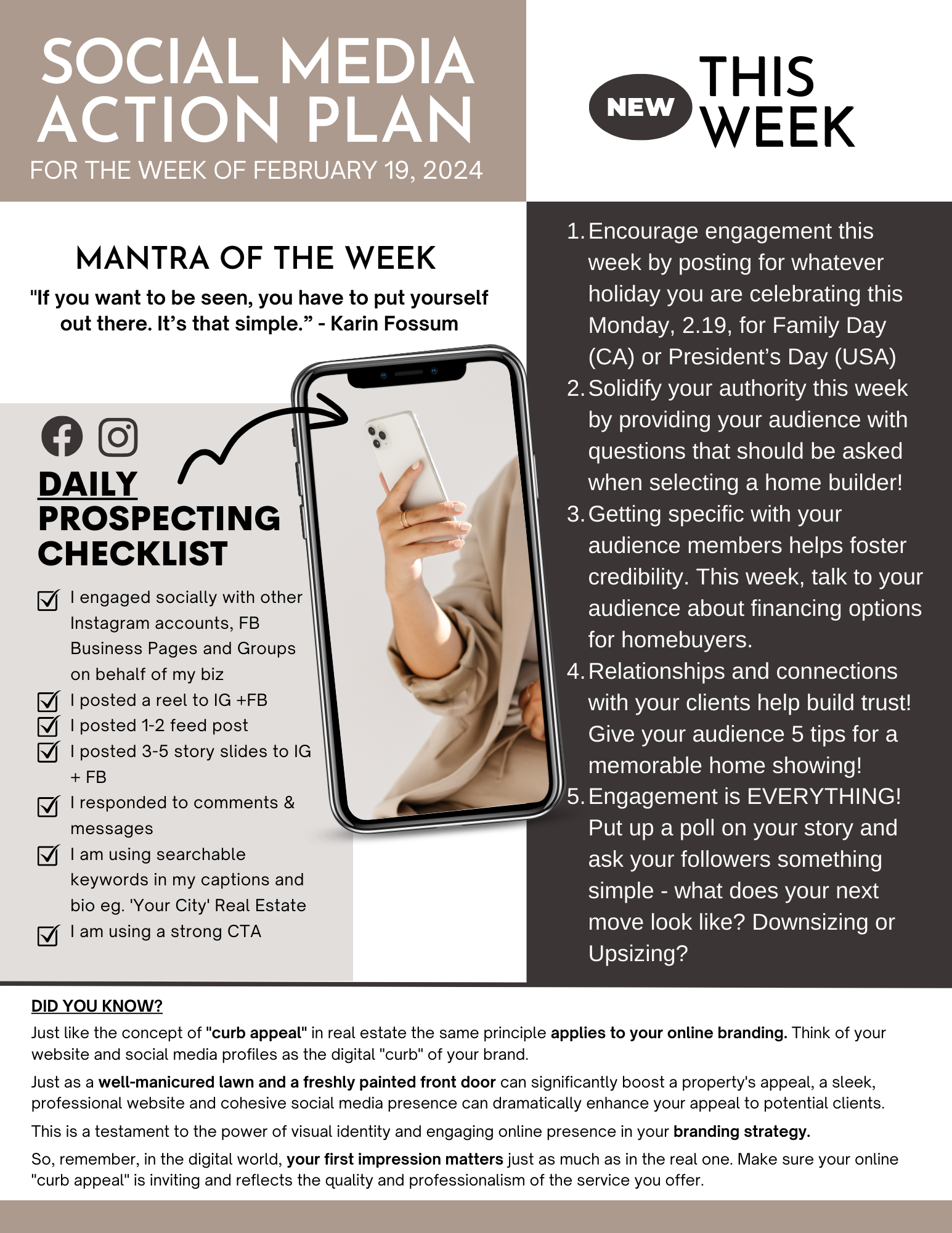
Your Weekly Action Plan is ready for you!

2 years ago

Your Weekly Action Plan is ready for you!
 

2 years ago

???? JUST DROPPED: Check out the new Reels and Reels Report for June! 

2 years ago

New Instagram Story templates for June are out now!   Check them here.

2 years ago

Your Weekly Action Plan is ready for you!

2 years ago

June Monthly Playbook just dropped! Make it a productive month with 30 days of done-for-you social media posts ????

2 years ago

Your Weekly Action Plan is ready for you!

2 years ago

Save the date for Office Hours this coming June 5th, 10 am PT via Zoom! ⏰

2 years ago

The blog post and video script for May are here. Check them out today! ????

3 years ago

Your Weekly Action Plan is ready for you!

3 years ago

New Instagram Story templates for May are out now! ???????? Check them here.

3 years ago

JUST DROPPED: Check out the new Reels and Reels Report for May! ????

3 years ago

JUST DROPPED: The May Monthly Playbook is ready! 31 Days of ready to go social media posts for your Real Estate Business. ????

3 years ago

Your Weekly Action Plan is ready for you! Make it a great week ????

3 years ago

Your Weekly Action Plan is ready for you! Make it a great week ????

3 years ago

JUST DROPPED: Check out the new blog post and video script for April ????

3 years ago

The Quarterly Marketing Campaign is LIVE and ready for you to start COLLECTING LEADS TODAY! ???? 

3 years ago

April\'s Reel Estate Reels Report is ready for you now click here to access it!

Stage Your Pool: Turn Your Backyard Oasis into a Major Selling Point

SHARE

A swimming pool can be a fantastic asset when selling your home. For many buyers, especially here in warm areas, a beautiful pool represents a dream lifestyle of relaxation, entertainment, and fun in the sun. However, a neglected or poorly presented pool can quickly become a liability in a buyer’s mind, suggesting expensive maintenance and potential problems.

The key is strategic staging. Just like you would stage a living room or kitchen, staging your pool area helps buyers envision themselves living that dream. With a little effort, you can turn your pool from a simple water feature into one of your property’s most compelling selling points. Here is how to do it.

The Foundation: Pristine Cleanliness is Non-Negotiable

Before you add a single decorative pillow, the pool and its surroundings must be impeccably clean. Buyers will scrutinize this area for signs of neglect.

Crystal Clear Water

The water itself is the main attraction. It needs to be sparkling and clear.

  • Ensure the pH, chlorine, and alkalinity levels are perfect. Cloudy or green water is an immediate red flag.
  • Regularly skim the surface for leaves and debris. Brush the pool walls and steps to prevent algae buildup.
  • Vacuum the pool floor just before photos and showings. If you are short on time, consider hiring a professional pool service for a one-time deep clean.

Spotless Surroundings

The area around the pool is just as important as the water.

  • Pressure wash the pool deck, patio, and any surrounding walkways to remove dirt, mildew, and stains.
  • Scrub the waterline tiles to remove any calcium deposits or grime.
  • Make sure the pump, filter, and heater are clean and in good working order. Buyers or their inspectors will look at this.

Safety First, Style Second

A primary concern for buyers, particularly those with children, is pool safety. Addressing this upfront provides peace of mind and removes a potential objection.

  • Check that your pool fence and gate are in excellent condition and meet local safety codes. The gate should be self closing and self latching.
  • Remove all unnecessary clutter. This includes pool toys, cleaning equipment, and anything that could be a tripping hazard. A clean, open deck looks larger and safer.

Create a Lifestyle, Not Just a Pool

This is where the magic of staging happens. You are selling an experience. You want buyers to walk out and feel like they have stepped into a private resort.

Define Your Zones

Create distinct, inviting spaces around the pool. Think about how the area could be used for different activities.

  • Set up two to four lounge chairs, perfectly aligned, with a small table in between for a designated lounging area.
  • Arrange a few comfortable outdoor chairs and a small table for drinks for simple conversation spots.
  • If space permits, a table and chairs with a stylish umbrella suggest wonderful outdoor meals to set the stage of an alfresco dining area.

Furnish for Appeal

Old, faded, or rusted patio furniture will detract from the luxurious feel you want to create.

  • Invest or rent – If your current furniture is worn, consider buying an inexpensive new set or even renting modern pieces for the selling period.
  • Add comfort – Use clean, stylish outdoor cushions on all seating. Choose a coordinating color scheme, like classic blues and whites or calming neutral tones.

Add Luxurious Touches

Small details can have a big impact.

  • Roll up a few fresh, fluffy towels and place them on a lounge chair or a small stool. White towels always look clean and high-end.
  • Use large potted plants and flowers to add color, soften hardscapes, and hide any imperfections.
  • A chic outdoor rug can define a seating area and add a layer of texture and comfort.

Setting the Scene for Showings and Photos

Your hard work culminates in showtime. The right final touches will make your pool area unforgettable.

  • Your pool is a visual highlight, so high quality photos are essential. Schedule a professional photographer who can capture the space in its best light. A twilight shoot with the pool lights on can be especially stunning.
  • Right before a buyer arrives, turn on any water features like fountains or waterfalls. Ensure the area is tidy, the pillows are fluffed, and the furniture is perfectly arranged.

A well-staged pool does more than just look nice. It creates an emotional connection and helps justify your asking price. By presenting a clean, safe, and beautiful backyard retreat, you are not just selling a house; you are selling the Florida lifestyle buyers are searching for.

Ready to make your entire home shine and attract top offers? Contact us today for a personalized consultation on preparing your property for the market.
SHARE

Facebook
Twitter
LinkedIn

Questions

Can’t find the answer you need? Send us a message at support@porchlyte.com and we’ll help you figure it out.

Getting started

Where do I actually start?

Start by building your profile. It takes about fifteen minutes and it’s the only setup you need to do.

Every tool uses the information in your profile, so completing it first will make everything you create feel more personal and useful.

Once that’s done, choose something you’re already working on this week. It could be a new listing, an upcoming appointment or a client you’ve been meaning to follow up with. Pick the department that handles it and let your AI team help you get it done.

Do I really have to build the profile?

Yes, and those fifteen minutes are worth it.

Your profile tells the tools about your business, your market, your clients and the way you communicate. The more they know about you, the better your results will be.

If something comes back sounding generic, your profile is usually the first place to check.

Can I change my profile later?

Absolutely. You can update it anytime.

If you change brokerages, start working in a new area or decide to focus on a different type of client, add that information to your profile. Your tools will use the updated details right away.

Using the tools

My output sounds generic. What am I doing wrong?

You probably haven’t done anything wrong. The tool may simply need more information about you.

Take another look at your profile and make sure the answers are detailed enough. Specific information about your neighbourhoods, ideal clients and communication style can make a big difference.

That’s how you go from ‘a lovely home in your area’ to something that sounds local, personal and much more like you.

Do I need to check what it gives me before I use it?

Yes. Always give it a quick read before publishing or sending anything, especially when the content includes numbers, property details or Fair Housing considerations.

Think of the tools as your first-draft team. They help you get the work started, then you give it the final approval.

Can I edit what comes back?

Of course. You can change any part of it.

Most people adjust a sentence or add a small personal detail before using it. That final touch is what makes the content feel completely natural to you.

What if it gets something wrong?

Correct it and please let us know.

Send the example to support@porchlyte.com and tell us what happened. Seeing the exact output helps us improve the tool and make it work better for everyone.

Can I use these on a co-listed property or one of my brokerage’s listings?

Yes. Just check your brokerage’s marketing rules and make sure you have permission before anything is made public, as you would with any other marketing you create.

Content and templates

Will my content look like every other member’s?

It’s very unlikely. Most of your followers aren’t also following other PorchLyte members, and members are spread across different markets. Everyone also uses the calendar differently. Someone may post an idea today, while another member saves it for next week or skips it altogether.

The monthly calendar gives you a helpful starting point. Add your local details, your opinion, a personal story or one of your own photos and it quickly becomes yours.

The AI tools are even more personalized. They begin with your profile, listing, photos and market, so the content is created specifically for your business.

How much do I need to post?

Probably less than you think.

A manageable schedule you can maintain will serve you better than trying to post every day. PorchLyte helps you keep showing up without spending your whole week creating content.

Can I put my own branding on the templates?

Yes. Add your colours, logo, fonts and photos.

The templates give you a polished starting point while leaving plenty of room to make them fit your brand.

Where do past months live?

You’ll always have access to a full year of content calendars.

It gives you plenty of ideas to revisit when you need something useful to post and don’t feel like starting from a blank page.

How do I schedule posts?

You’ll find a short scheduling walkthrough under Training, along with the rest of the how-to videos.

Training

When are the live trainings?

Upcoming dates are posted on the calendar and your dashboard. We’ll also send you an email before each training so you know what’s coming up.

Do I have to attend live?

No. Every session is recorded and the replays stay inside your account.

If you can join us live, you’ll have time to work on your own business during the session and ask questions as they come up.

I joined partway through. Am I behind?

Not at all. Each session is designed to stand on its own.

Start with the training that matches what you need right now, then explore the others whenever you’re ready.

What’s the Success Path?

The Success Path is a short, step-by-step collection of trainings for anyone who would like a little direction on what to do first.

It’s completely optional, but it’s a great place to begin if you want us to guide you through PorchLyte.

Your account

How do I cancel?

You can cancel directly inside your account in just a couple of clicks.

Your access will continue until the end of the period you’ve already paid for, and anything you downloaded is yours to keep.

Can I pause instead?

Yes. Email support@porchlyte.com and we’ll help you with that.

A pause can be a good option when life or business gets especially busy and you need a little breathing room.

Do new tools cost extra?

No. New tools added while you’re a member are included with your membership.

There are no additional tiers or upgrades required.

Can I share my login?

Each membership includes one login and one business profile.

If an assistant works inside your business, they can use the account to help you. A second agent will need their own membership because each account is personalized using one agent’s profile.

How do I update my card?

You can update your payment information under Billing in your account settings.

The ones nobody asks out loud

You’re probably not the only person wondering about these, so let’s talk about them.

I haven’t logged in for weeks. Where do I start?

You’re okay. There’s no course to catch up on and nothing has expired.

Open your dashboard and think about what’s happening in your business this week. If you have a listing coming up, start there. If business is quiet, open Stay Remembered and send an email to someone you helped a few years ago.

One useful action is enough to get you moving again.

I’m paying for this and not using it.

Let’s figure out what’s getting in the way.

Your profile may need more information, or you may need help finding the tool that fits what’s happening in your business right now.

Email support@porchlyte.com and tell us exactly that. A quick conversation can help you find the simplest place to start.

I’m not consistent. Is this going to work for me?

Yes. You don’t need to become someone who posts every day or follows a complicated marketing schedule.

The work inside PorchLyte is designed to fit into a real week, including the weeks when appointments change, deals get complicated and your plans go sideways.

You can step away when you need to and pick things back up when you’re ready.

I don’t really understand AI. Am I going to be lost?

You don’t need to understand how AI works behind the scenes.

The tools will ask you questions, you’ll add your information and they’ll guide you through the rest. There’s also a short walkthrough to help you complete your profile and get comfortable using everything.

I’m embarrassed by how little I’ve posted.

Give yourself a fresh start.

Most people aren’t scrolling back through your entire account. They’re paying attention to what you’re sharing now and whether it helps them get to know you.

Your next few weeks of content can begin whenever you’re ready.

What changed

Did my price change?

If you were already a member, your price has stayed the same. You’ll continue paying the rate you joined at.

I can’t find something that used to be in the menu.

It’s still here, but it may have moved.

Use the search bar at the top of any page. If you still can’t find what you need, email support@porchlyte.com and we’ll send you the direct link.

Let’s get you back on track

Whatever you need help with, we’d much rather hear from you than have you sitting there feeling stuck. Send us a message and we’ll help you find your next step.

Already picked. Just make it yours.